Inside
What it looks like
Swipe. These are the real screens, not mock-ups.
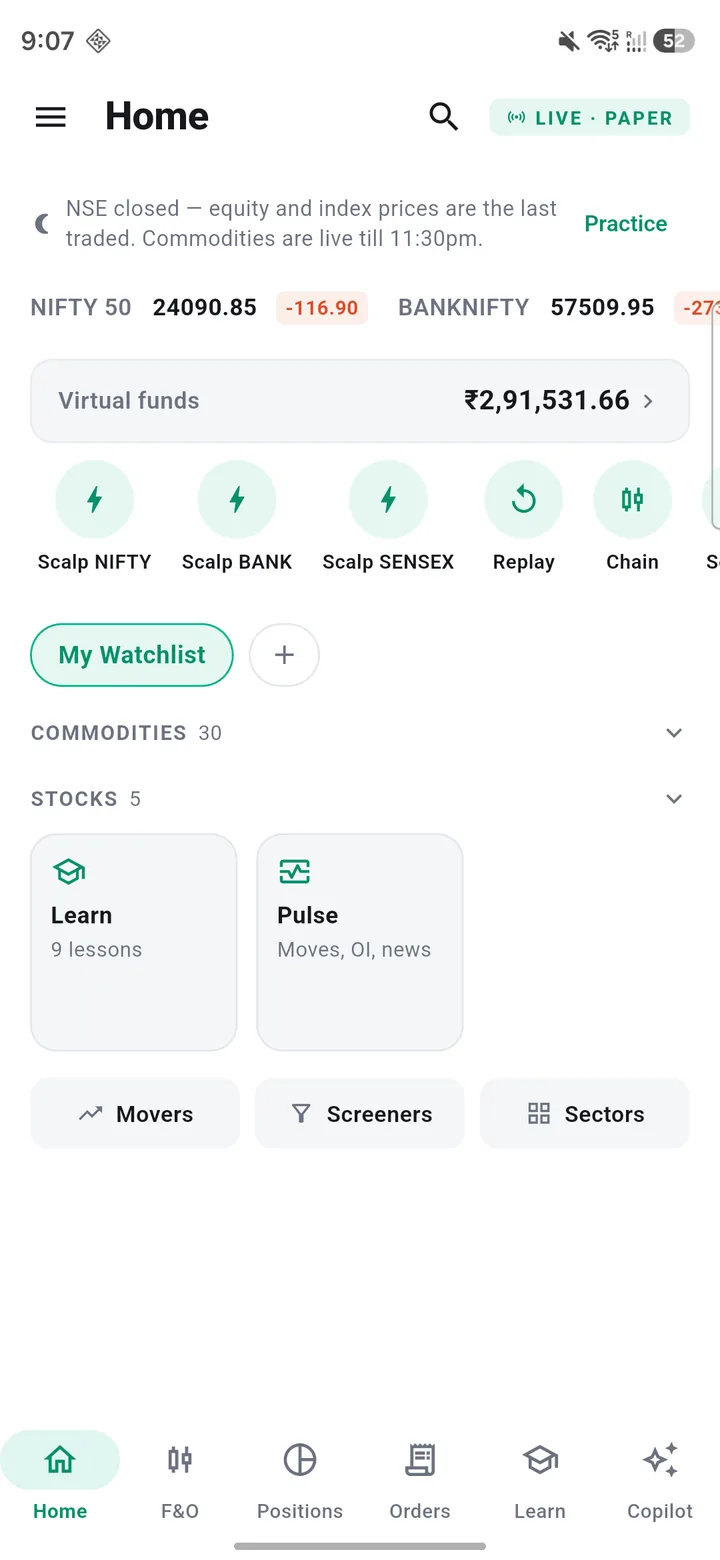
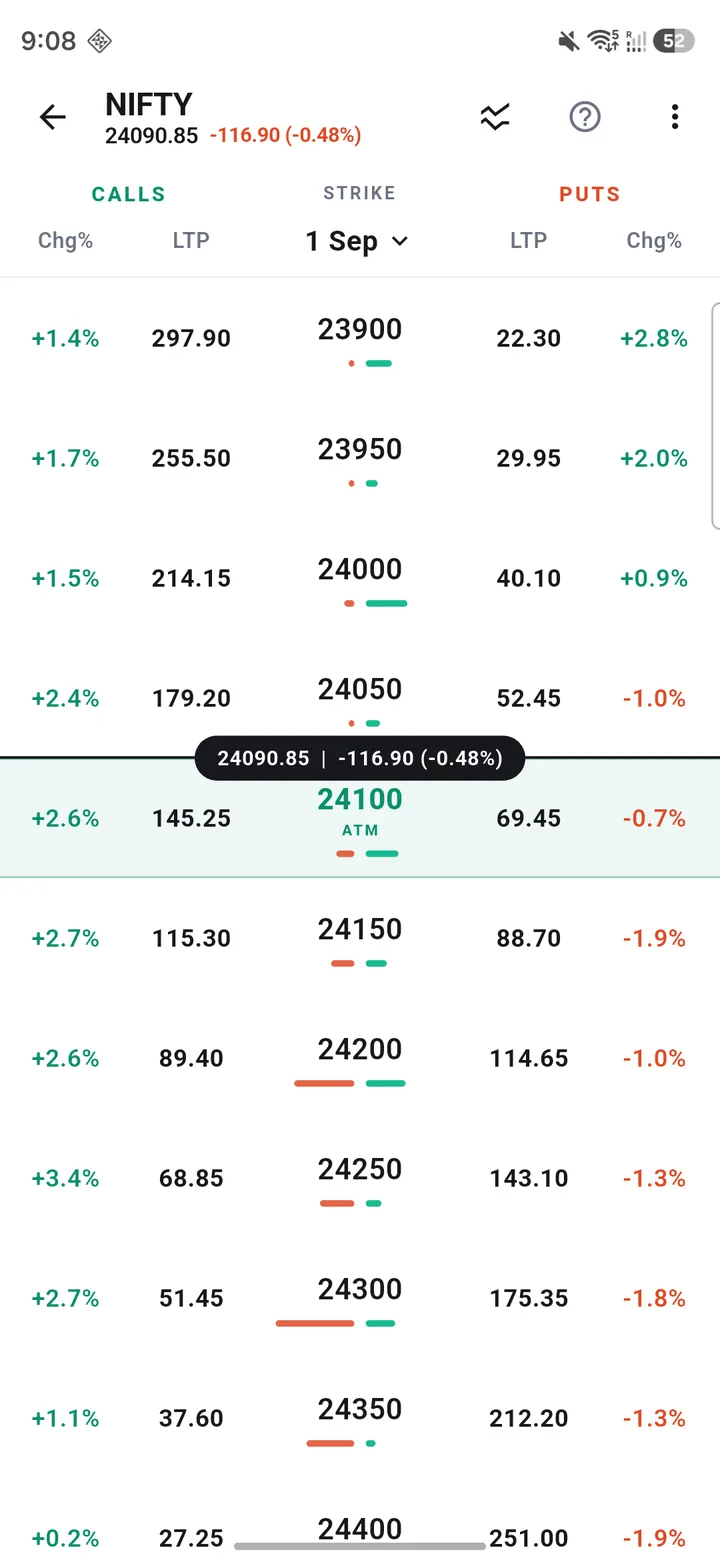
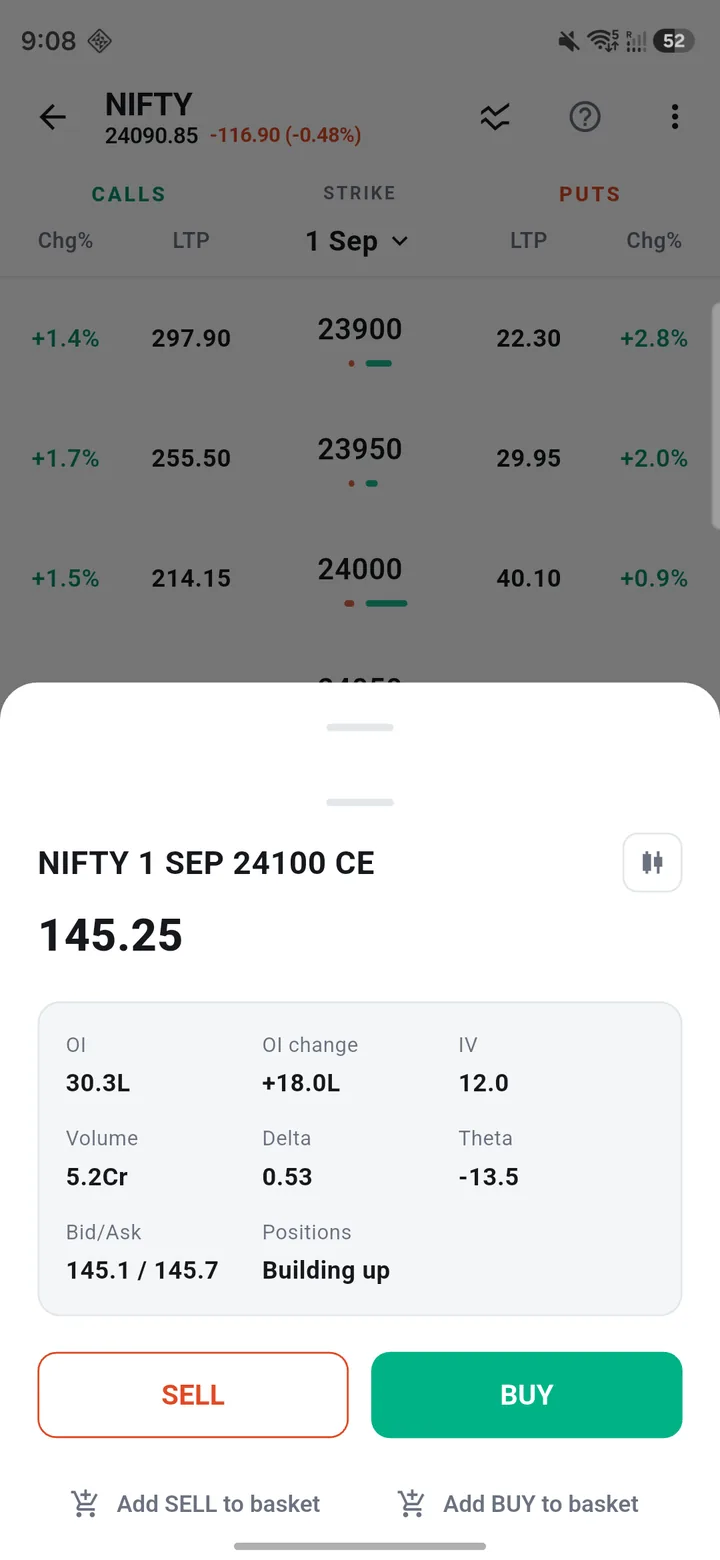
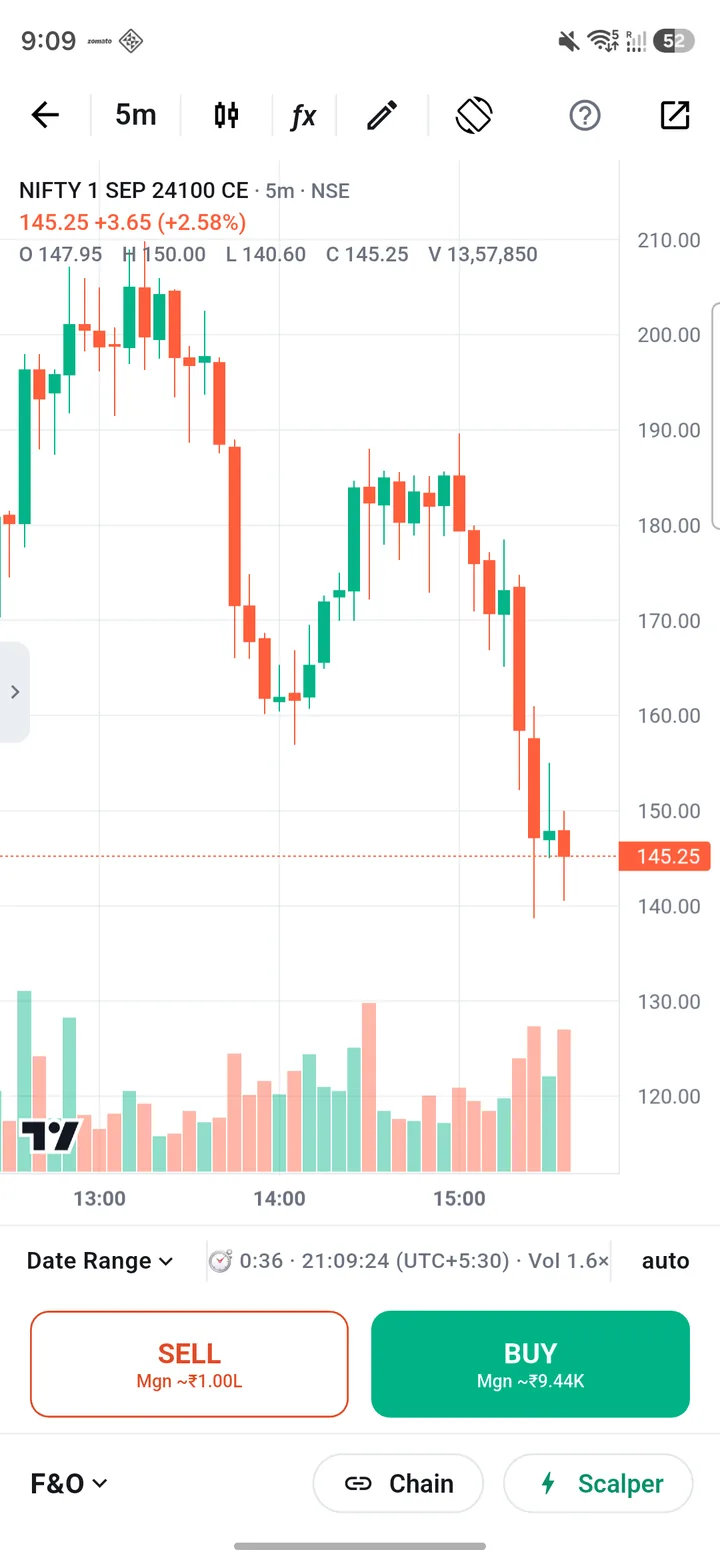
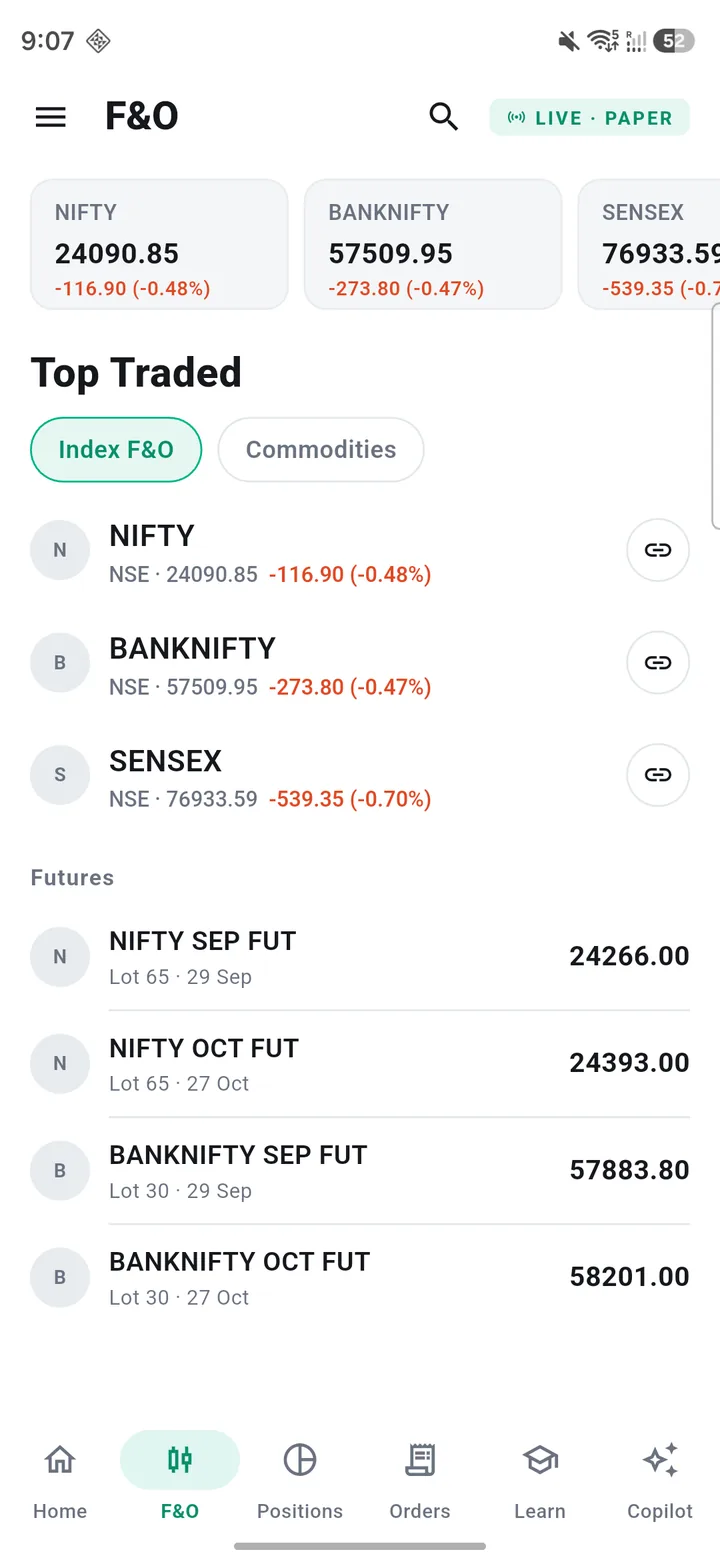
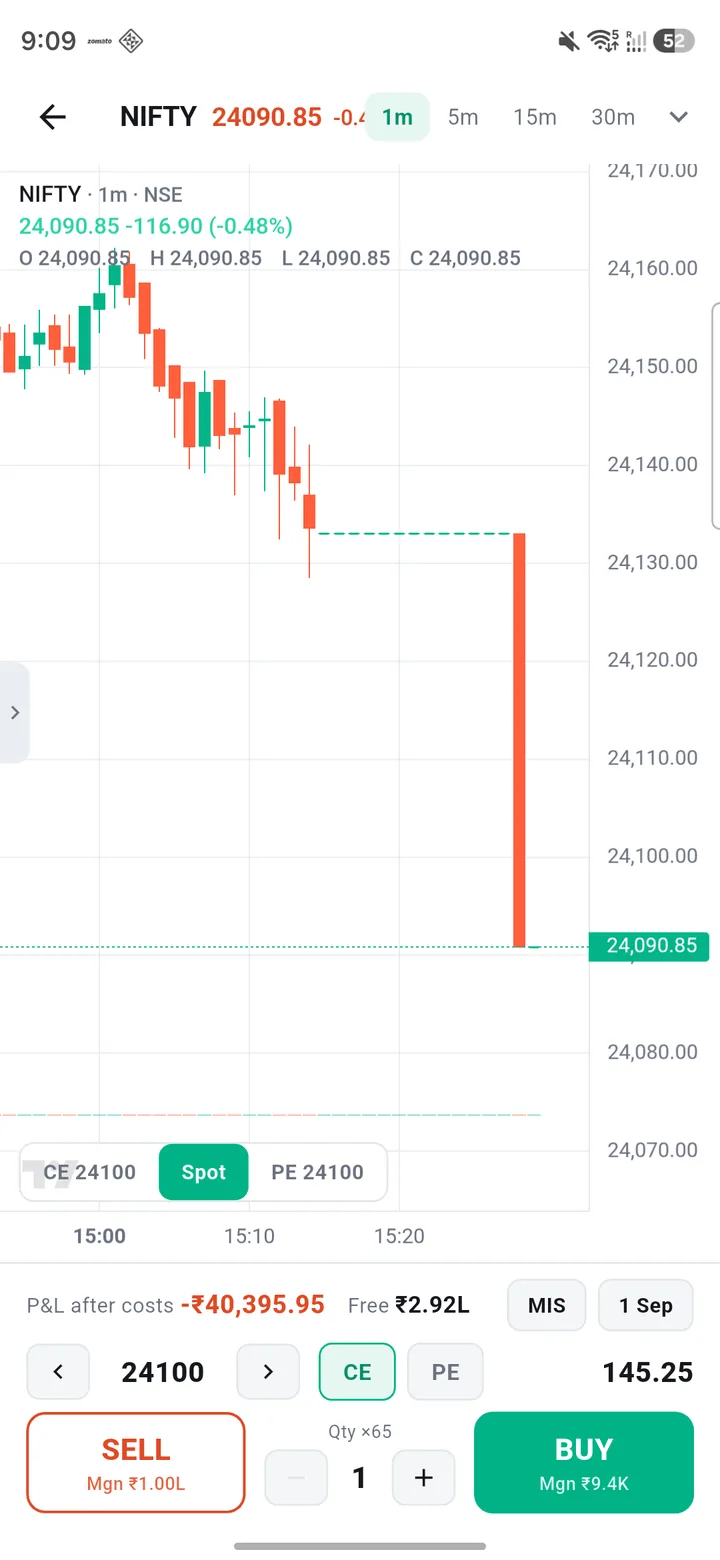
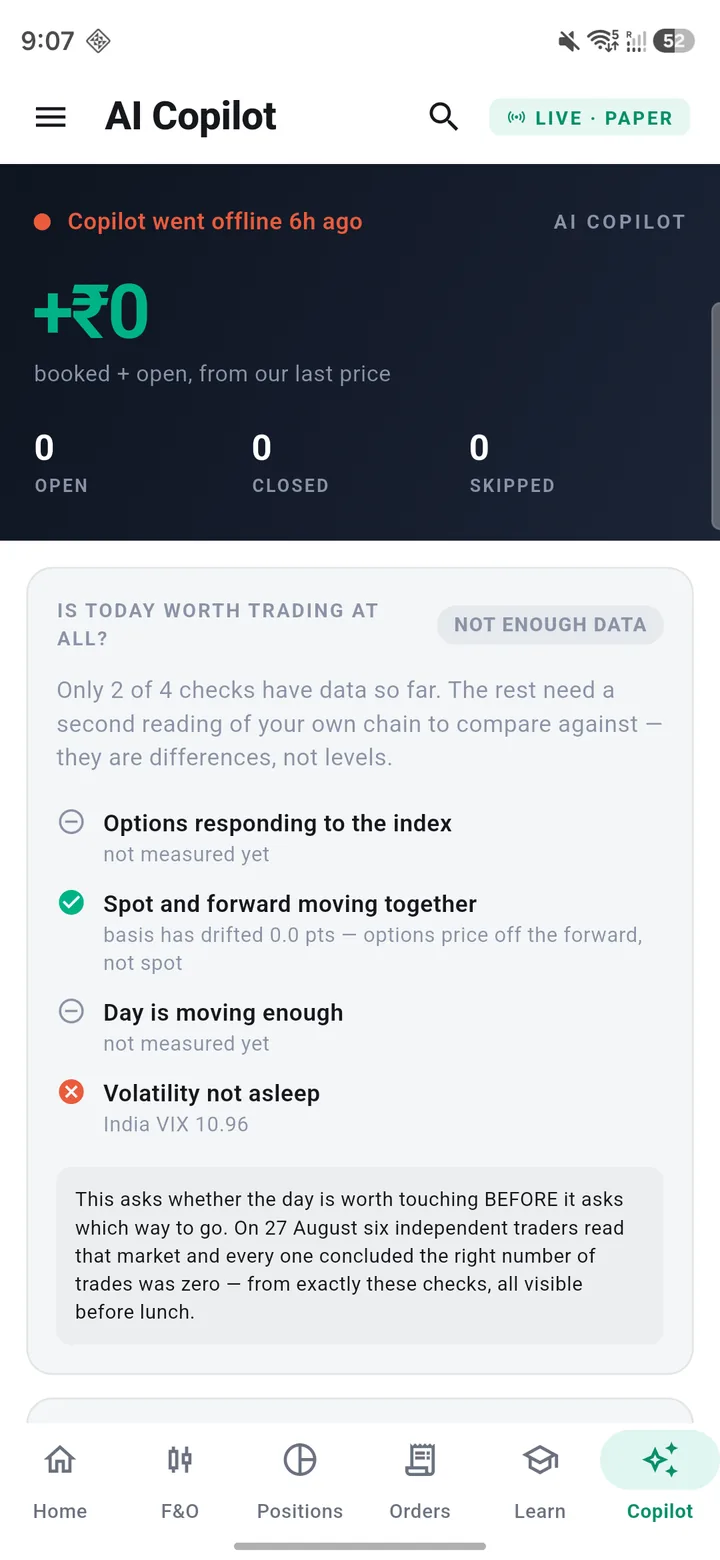
Watchlist · option chain · order ticket · chart · F&O · scalper
Real strikes, real lot sizes, real margin rules, real charges. Virtual money. The app cannot place a real order — there is no order-placing code in it at all.
Android 7.0 or newer · one file for every phone · 52 MB
What it does
Most paper traders fill at the last price, charge nothing, and hand you a P&L that a real account would never produce. That teaches the one lesson a simulator must not teach.
NIFTY and BANKNIFTY options and futures — real expiries, real strikes, real lot sizes, straight from your own broker.
Long options are fully paid. Writing one blocks margin. MIS squares off at the real cut-off. Refused at a broker means refused here.
Brokerage, STT, stamp duty, exchange and SEBI fees, GST. The P&L you see is after costs — the only one worth practising against.
A market order pays what a market order pays, in and out. No free tick on the way through.
Drag a stop, pull a target out of the position line, drop a limit at a level. It goes through the same engine.
Every closed trade with what fired it, what it cost, and the ones you would rather forget.
Inside
Swipe. These are the real screens, not mock-ups.
Watchlist · option chain · order ticket · chart · F&O · scalper
How it works
You can stop after the first one and it still works.
No account, no sign-up, no card. You are trading on practice prices within a minute.
Dhan, Fyers or Upstox. You create your own API key on their site and paste it in. We never see it.
The chain with open interest, the chart with your own drawings, the greeks worked out from the option's own traded premium.
The ticket shows the margin it will block and the charges it will cost before you confirm — not after.
English or Telugu. The app reads it back to you, tells you what it could not understand, and backtests it on your own broker's candles with real costs.
The same rule runs live on paper money, on the same candles it was tested on, and every trade it takes is recorded.
Your broker token
This is the part that should worry you about any app like this, so here is exactly how it works.
The app talks to your broker directly from your phone. Your token is kept in Android's own encrypted keystore. There is nowhere for it to be uploaded to, because we run nothing that could receive it.
The app only ever calls the market-data half of your broker's API. There is no order-placing code in it. Even if it were compromised, it could not buy anything.
Every broker signs you in on their own page and hands back a token. No password, PIN or 2FA code ever reaches this app.
A count of installs — a random id, two dates and the app version. If you sign in for cloud backup, your name and email. Nothing else. The whole list.
Getting it
You are on an iPhone or iPad. There is no iOS version and there will not be one for a while. Open this page on an Android phone, or send yourself the link.
You are on a computer. The file below is an Android app — download it here and move it to your phone, or open this page on the phone itself.
Not on the Play Store yet, so Android will warn you before installing it. It is right to. Check the fingerprint below matches, so you know the file was not altered on the way to you.
When it finishes, tap the file in your notifications to install.
If it reaches 100% and then never finishes, or Chrome says the file is not commonly downloaded — that is Chrome refusing to hand over an APK. Some phones do it to every APK whatever the source, and there is no button to override it. The file is not broken. Three ways round it, in order:
1. In the download notification or Chrome's Downloads list, tap the ⋮ next to the file and choose Download anyway / Keep.
2.
Download this identical copy
instead, then rename it from papertrader-apk.bin to
papertrader.apk in your Files app and tap it. Same
file, same fingerprint — only the name differs, which is the
whole reason Chrome allows it.
3. Ask on WhatsApp and we will send you the file directly. That always works.
Still stuck? Tell us what the phone said, word for word, and which browser you used — that one sentence is usually enough to know exactly which of the above it was.
Straight answers
It cannot buy or sell anything. It holds no money and moves none.
It never tells you what to trade. No tips, no signals, no calls — not from us and not from the AI features.
Doing well here is not evidence you will do well with real money. Most rules do not clear costs. That is the normal result, not a bug.
There is no subscription, no in-app purchase and no card field. The whole app is free and stays free.
Questions
No, and not for a while. Android only.
No. Everything works on the built-in practice feed. Connecting a broker swaps that for your own live prices, which is better practice — but it is optional and nothing is locked behind it.
No. Not now and not later. There is no subscription, no in-app purchase and no card field anywhere in the app. If your broker charges for its own market-data API — Dhan does, Fyers and Upstox do not — that is between you and them, and we never see it.
It cannot. There is no order-placing code in the app. It only ever calls the market-data half of your broker's API.
We never see it. Your broker signs you in on their own page and hands the app a token, which is kept in Android's encrypted keystore on your phone and is never uploaded anywhere.
Most broker tokens last a day. The app tells you and shows a reconnect button; until you tap it, prices go back to the practice feed and everything else keeps working.
It is on the way. Play verification for a new developer account takes documents and time; the app is finished and shipping here in the meantime.
The app checks for them itself and offers a one-tap update. You can also come back to this page any time — the button always points at the newest build.